From your menu to paid orders in one afternoon
Set it up once. After that, every order comes in already checked against your rules, and your team approves and preps from one screen.
1. Set up your store
Create your account
Business name, store link, email. Your store is created right away.
Build your menu
Sections, items, your prices. Per person, per pound, per dozen, per tray, or your own unit. Packages with choices.
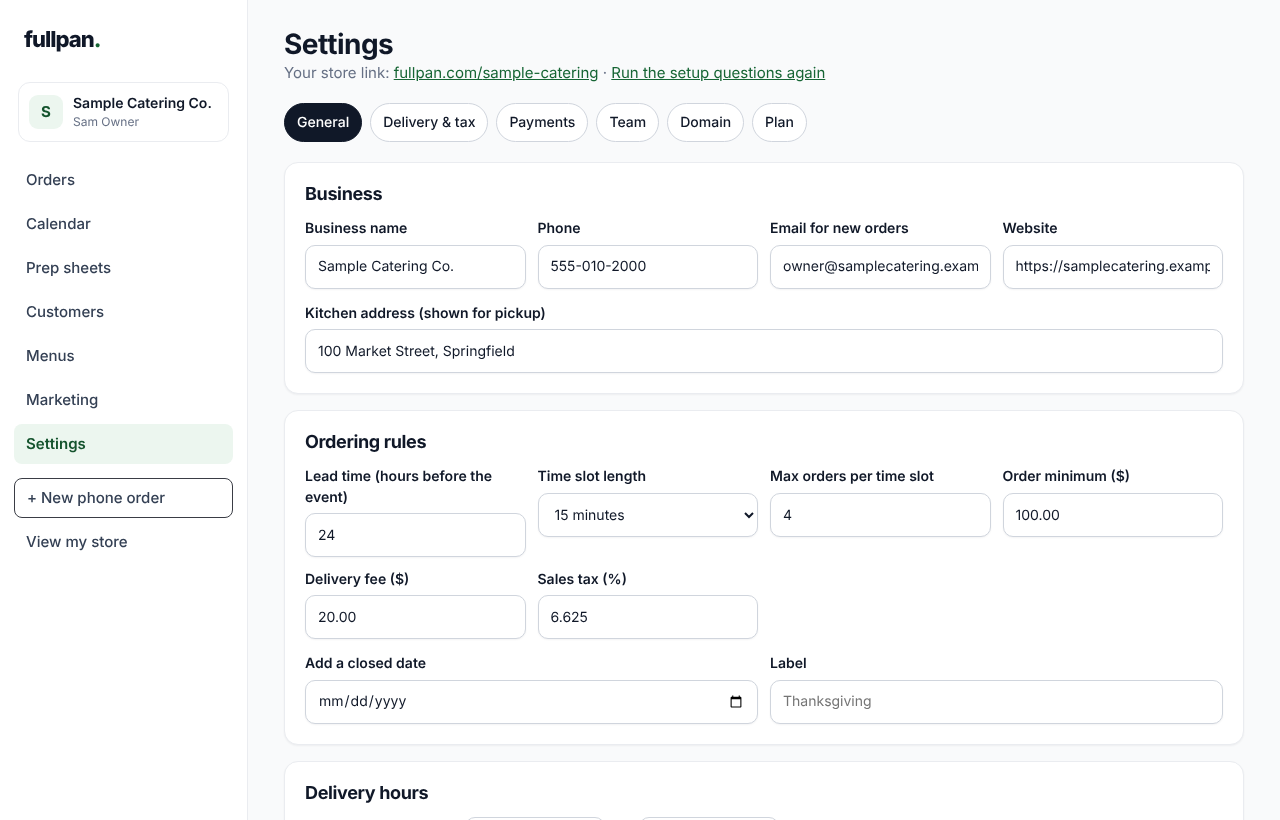
Set your rules
Hours by day, lead time, slot length, orders per slot, minimums, delivery fee and tax.
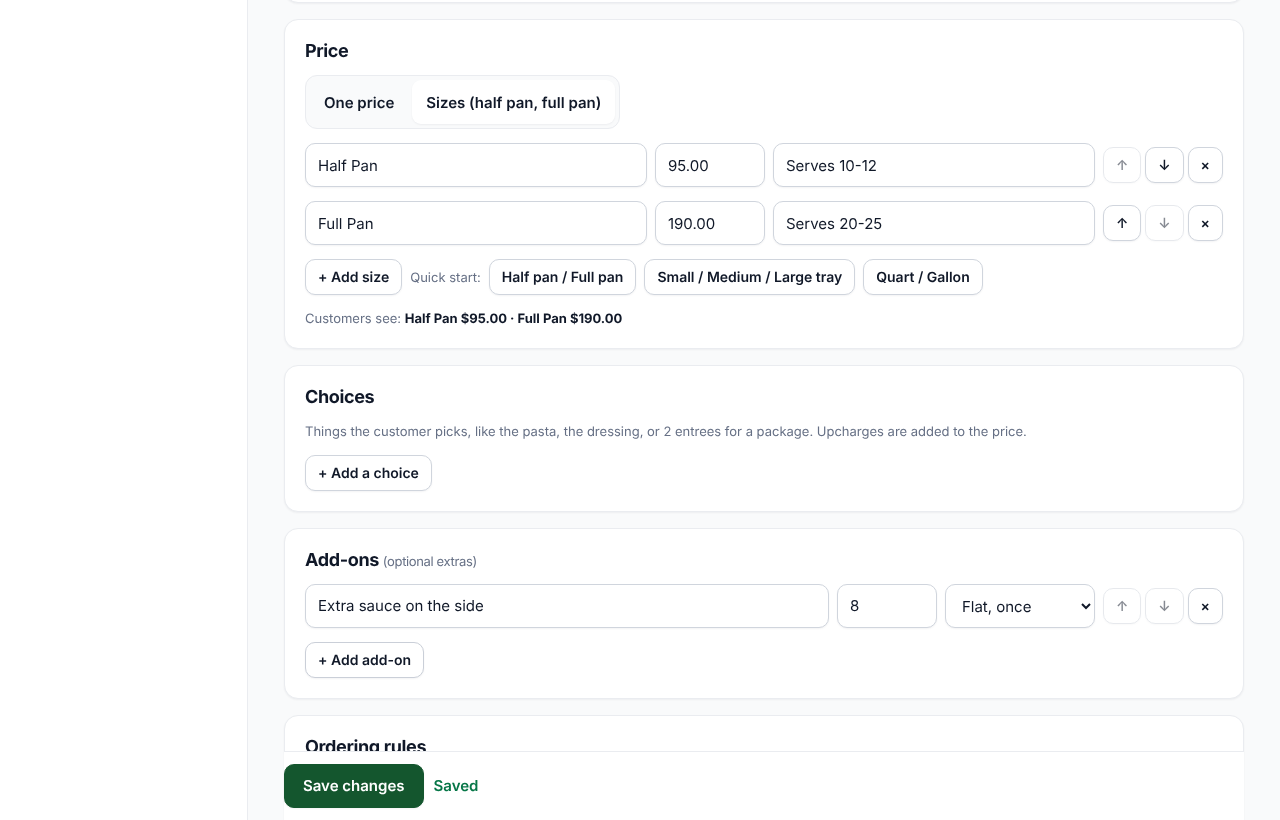
A builder that sells the way you do
Sizes with their own prices, packages with pick counts and upcharges, minimums and maximums, sold in steps, extra notice for big items, and dietary labels. Duplicate an item to make the next one in seconds.
Rules that match your kitchen
Separate delivery and pickup hours, a lead time in hours, 15, 30 or 60 minute windows, a cap on orders per window, closed dates, order minimum, delivery fee and sales tax.
2. Customers order
A clean page on any phone
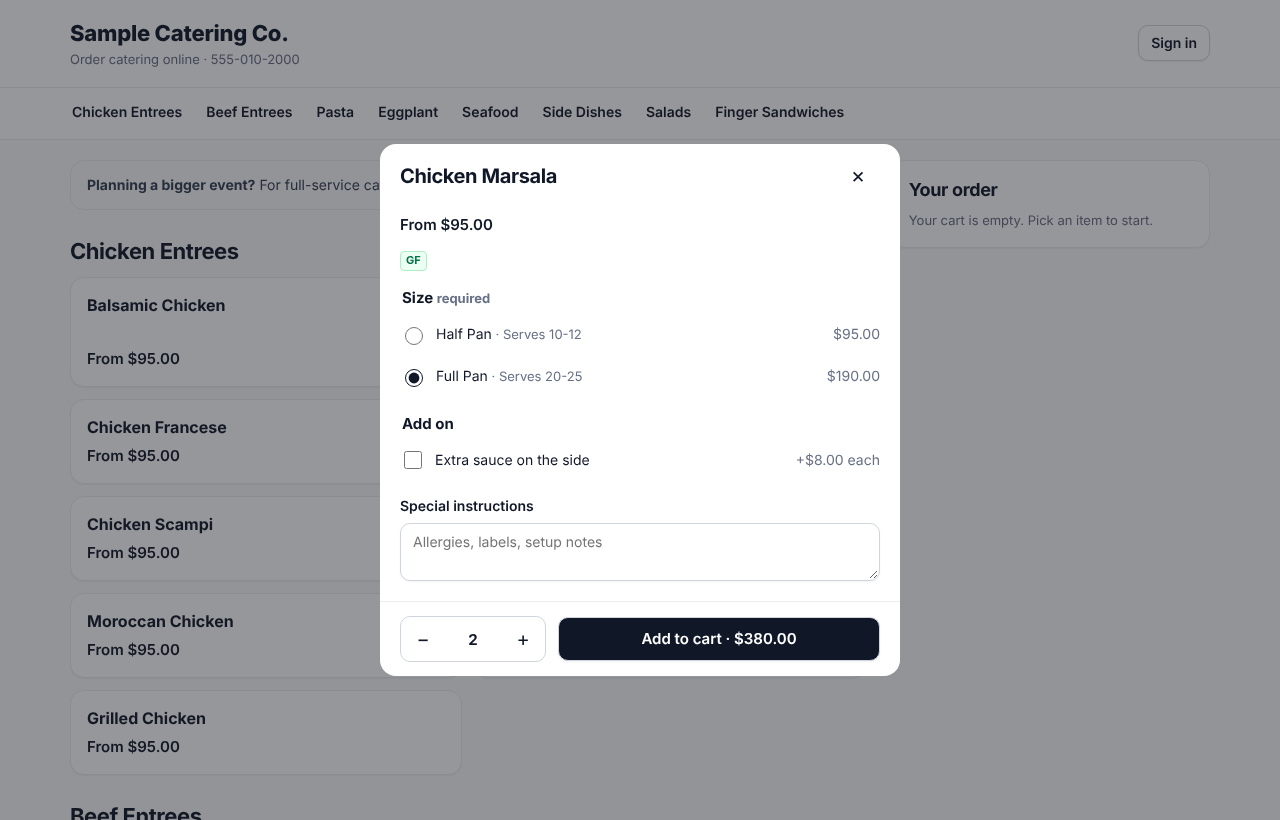
Customers browse your menu by section, pick sizes and choices, and see the total as they go. Minimums are shown up front and enforced.
- Per person, per pan or per item pricing
- Required choices and add-ons
- Cart saved while they browse
Only times you can make
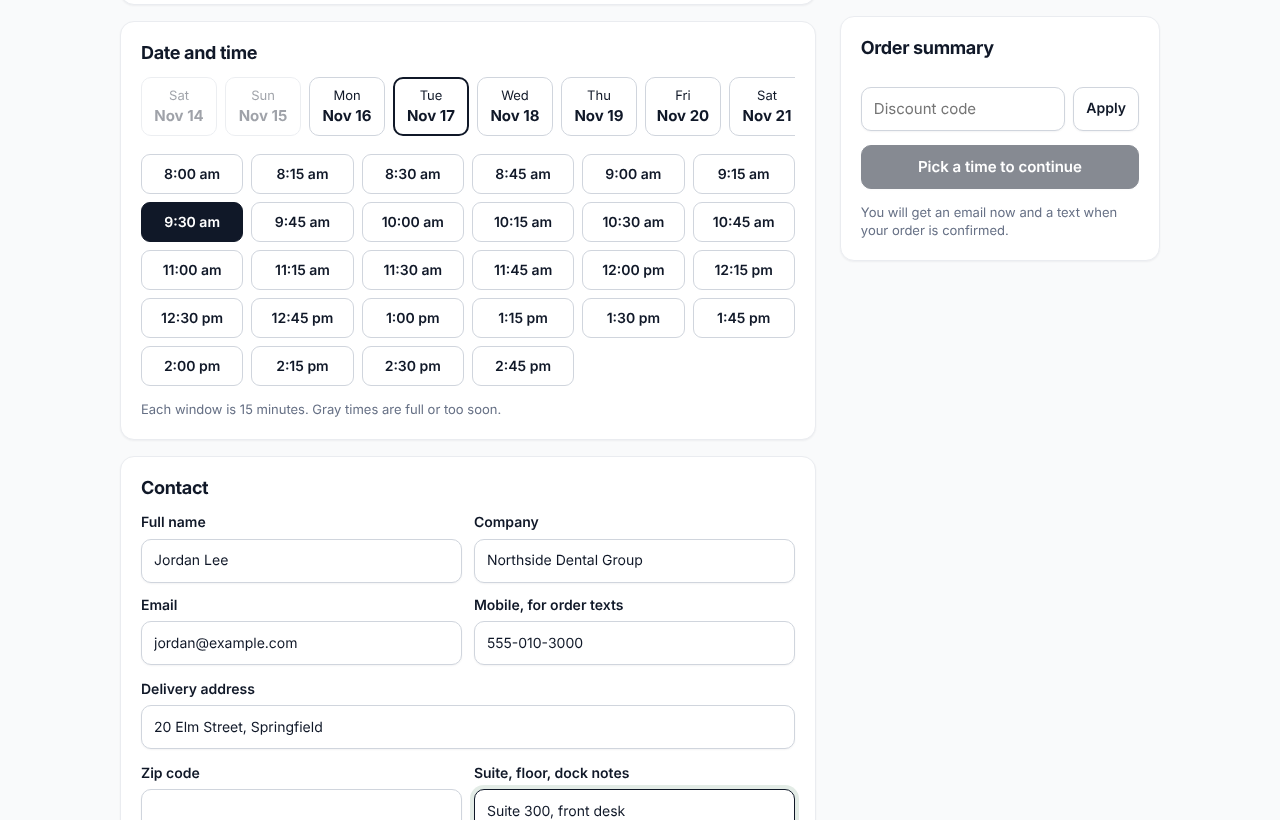
The date and time picker hides days you're closed and grays out times that are too soon or already full. Tax, delivery fee and tip are added before they pay.
3. You confirm and prep
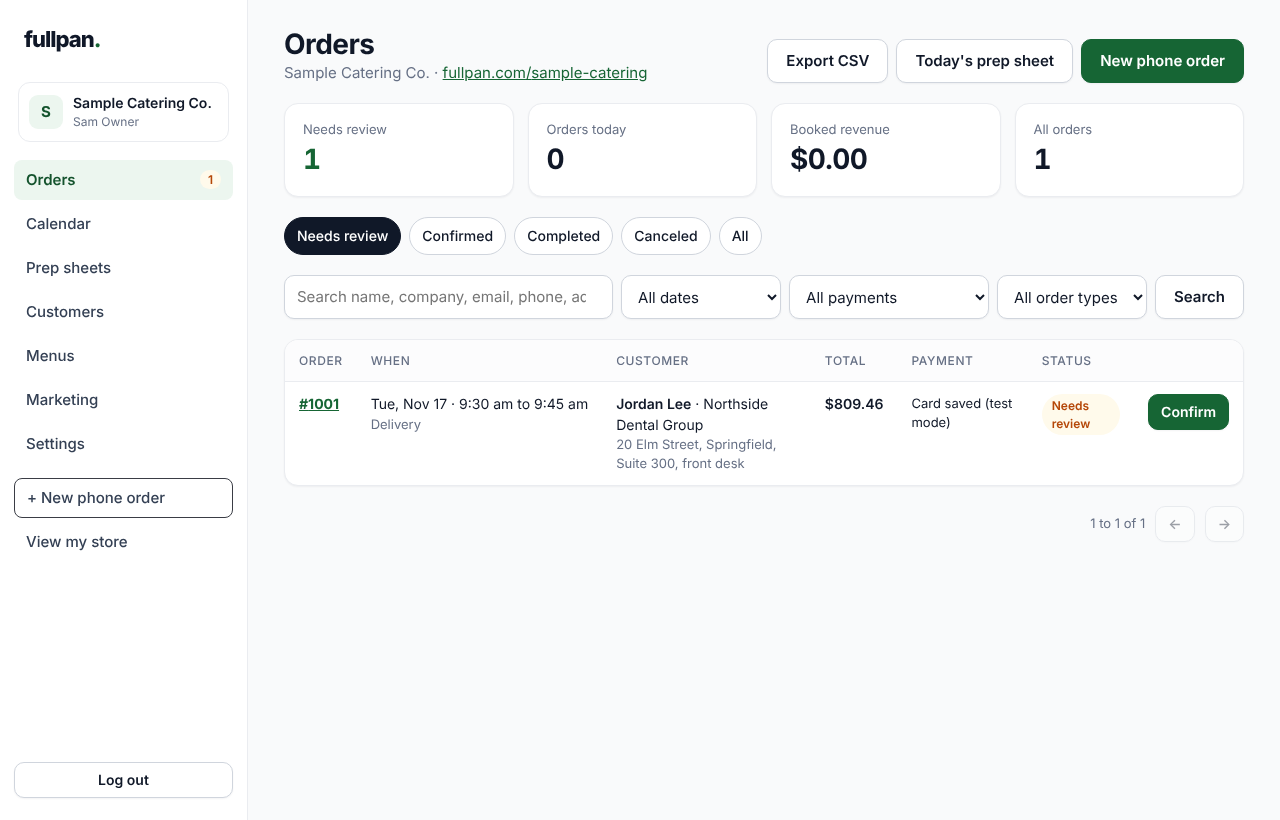
One list of what needs your OK
New orders land in Needs review. Open one to see every line, note and contact detail. Confirm to charge the card and notify the customer.
- Email to the customer when they order
- Email and text when you confirm
- Activity log on every order
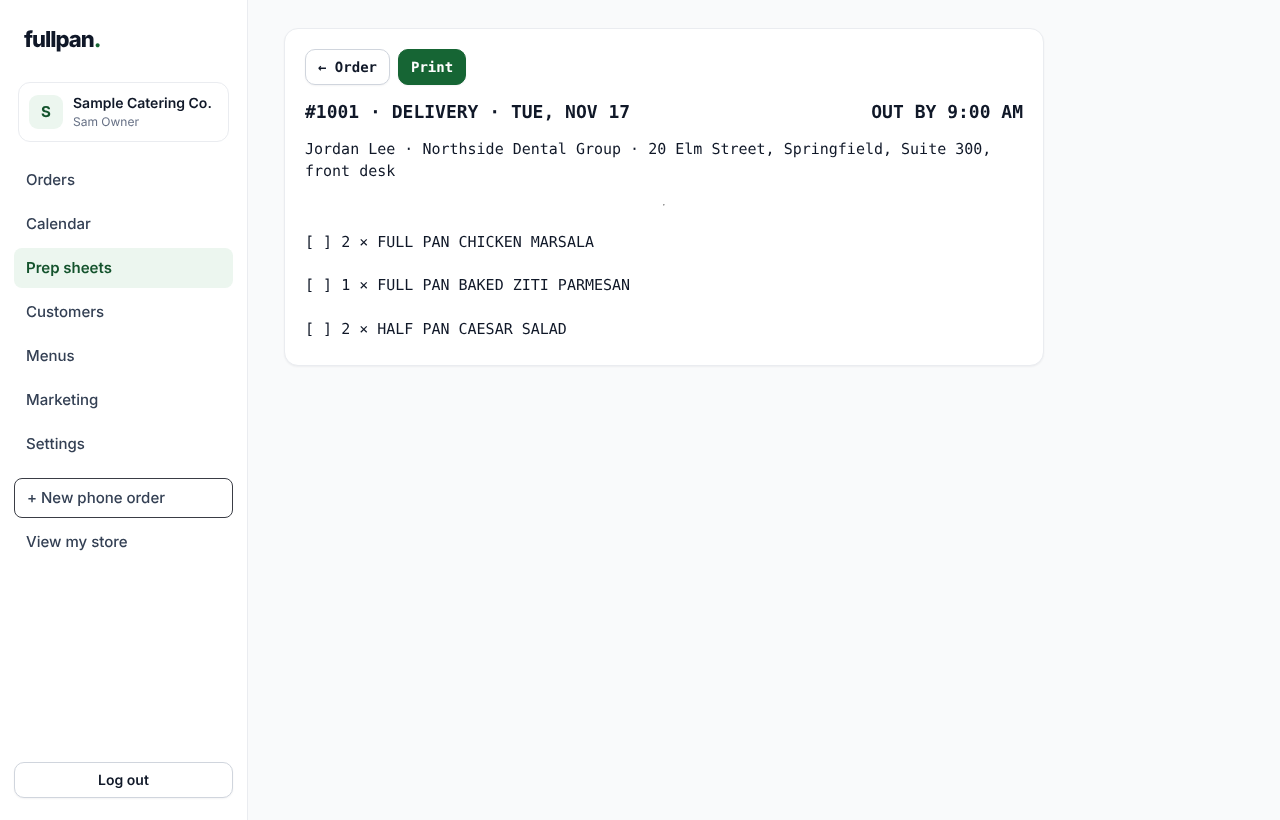
Prep sheets the kitchen can use
Print one order or the whole day. Items are rolled up by size and choice, with special instructions called out.
Your next catering order could come in tonight.
Set up your menu this afternoon. 14-day free trial, cancel any time, no commission.